Residential Cluster

Where Your Listing Media Goes: A Delivery-Day Playbook

What to download from the Aryeo portal, what to skip, and exactly where each piece belongs. Charlotte (Canopy MLS) and Raleigh / Durham (Doorify MLS) covered.
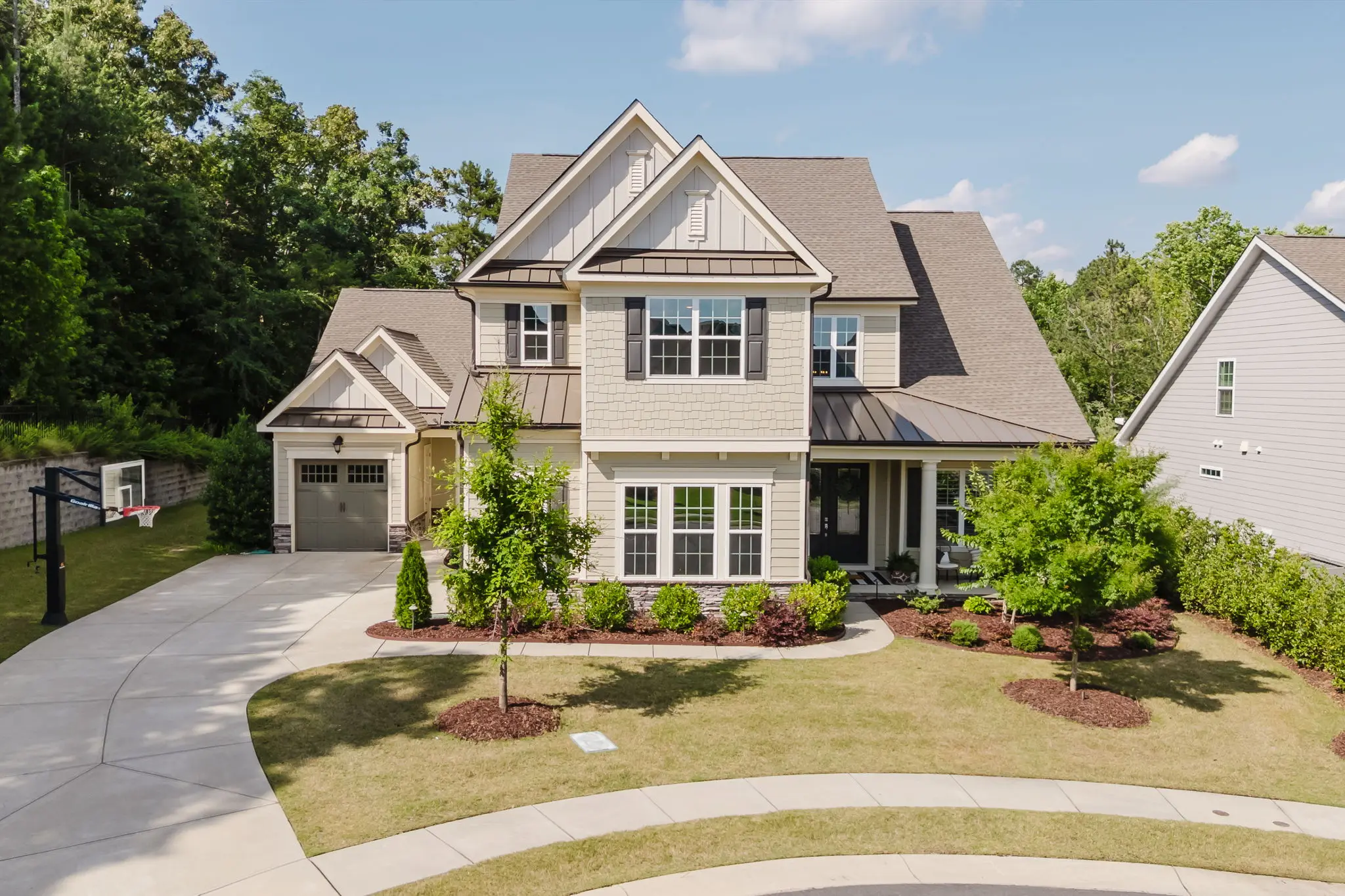
Charlotte residential listing exterior photographed by One Shot Drone Tours

You just got the email. The Aryeo portal is open. There are 90+ photos, two videos with two music versions each, a stack of floor plan files, an interactive 3D tour, a branded property website, an unbranded property website, and possibly a GLA report PDF. And you have an MLS deadline.

Here is exactly what to download, what to skip, and where each piece goes.

Photos: download Web / MLS Quality, not Print

Every image in the portal has two download buttons: Print Quality and Web / MLS Quality.

  • Web / MLS Quality is what you want 90% of the time. Pre-optimized for MLS upload, fast to upload, never gets rejected for file size. This is what goes on MLS, your brokerage site, social, your sphere email blast.
  • Print Quality is full-resolution and only useful for physical materials: direct-mail postcards, magazine ads, framed wall prints in the seller’s home, brochure spreads. If the listing isn’t getting any printed marketing, you don’t need these. Most agents never download them.

How to grab them all at once: scroll to the top of the Images section and click “Download Images”. You’ll get a single zip of either Print Quality or Web / MLS Quality based on your selection. Drag-drop the unzipped folder into MLS, your CRM, your photo cloud, or wherever your brokerage workflow lives.

For social, you don’t need all of them. Pick 8 to 12 favorites: hero exterior, kitchen, primary bedroom, primary bath, living room, one twilight if you have it, one detail shot.

Videos: MLS vs social, two music versions each

Most listings receive two videos, each in two music versions:

  • MLS Video (horizontal 16:9, 90 seconds to 3 minutes). Slower pacing, covers nearly every room, designed for the listing virtual tour field on MLS and embeds on the agent / brokerage website.
  • Social Media Video (vertical 9:16, 30 to 60 seconds). Highlights only, faster cuts, sized for Instagram Reels, TikTok, Facebook Reels, and YouTube Shorts.

The two music versions per video are different licensed tracks. Pick whichever fits the property’s vibe. Many agents use one music cut for MLS and the other for social so the two pieces feel like a campaign rather than the same edit twice.

Where each video goes:

  • MLS video — MLS Virtual Tour or Video field, branded property website (already embedded for you), your agent website, brokerage listing page, listing presentation, drip emails. Most agents share the link rather than downloading the file. The MLS video is the only video that’s large enough to be a download problem; if you don’t need the raw file, just use the link.
  • Social media video — download this one, then upload to Instagram Reels, TikTok, Facebook Reels, YouTube Shorts, and Stories. Can also go to your agent feed alongside the MLS cut.

One thing we won’t do on revisions: shrink the MLS video down to a minute. The MLS cut and the social cut have different jobs. Trying to make one piece serve both ends up worse than either. That’s why both come standard.

Social media upload tips

The vertical social cut is already optimized for the platform. Three things to keep in mind when you upload:

  • Keep the 9:16 aspect ratio as-is. Don’t crop, don’t add a border, don’t re-edit it into a square or horizontal frame. The reach engine on every short-form platform favors true vertical.
  • Avoid adding text overlays. Most of the time the text belongs in the caption, not on the video. People who want to reach out can find your handle in your bio or the rest of your feed. Captioned text clutters the visual rhythm of the cut and competes with the property.
  • Don’t re-export. Uploading the file as-is preserves the bitrate. Re-exporting through CapCut or InShot to “tweak” something almost always degrades quality.

Floor plans: which file to upload to MLS

The number of floor plan files varies by property. A single-story listing has fewer files than a four-story townhome. Two distinct sets are always there:

  • Standard package — B&W floor plans. One file per floor (Floorplan_1.jpg, Floorplan_2.jpg, etc.) plus one combined file showing all floors on a single image. Each floor comes in a couple of variants: with dimensions and without dimensions.
  • GLA / ANSI add-on — color-shaded floor plans. One file per floor only (1st_floor_[address].png, 2nd_floor_[address].png, etc.), with red, green, and yellow shading indicating included GLA, excluded space, and conditional space per ANSI Z765-2021. There’s no “all-floors-on-one-image” GLA version because GLA reporting is per-floor by standard.

For MLS upload, two clean recommendations:

  • If you ordered the GLA / ANSI add-on: upload the GLA color-shaded version, one per floor. This is the appraisal-grade output and matches the GLA report PDF in your Files section. Some MLSes only allow one floor plan upload — in that case use the single best (usually the floor with the kitchen and primary bedroom).
  • If you got the standard package: upload the B&W “no dimensions” combined version that shows all floors as one image. Cleaner on MLS thumbnails and one upload covers the whole property. If your MLS supports multiple floor plan images, upload the per-floor B&W versions instead.

Skip uploading the dimensioned versions to MLS unless your MLS specifically requests them. Save those for the listing flyer or open-house handout.

3D interactive tour, branded property website, unbranded property website: what’s the difference

Three URLs in the portal can all look like “virtual tours.” Here’s what each one actually is, in plain terms:

  • Interactive Tour. The 3D walk-through. Buyers click through rooms or pan around. Best used as an embed on your agent website or in MLS if your form has a separate “3D tour” or “interactive tour” field.
  • Property Website (branded). A full landing page with photos, video, floor plans, 3D tour, and a contact form, all on one page. Has your name, photo, and contact info. This is the link to share with your sphere, drop in your email signature, and put on your social bio. Also turns into a great QR code for yard signs, listing flyers, and open-house handouts.
  • Property Website (unbranded). Same landing page, no agent identity. This is what most MLSes require for the Virtual Tour field.

The important part: if your MLS only allows one virtual-tour-style link, the unbranded property website is almost always the right choice because it surfaces every piece of media on one page (photos, video, 3D tour, floor plans). One link, all the content. If your MLS form has separate fields for video, virtual tour, and 3D tour, see the breakdown below.

MLS field by field: Charlotte and Raleigh / Durham

MLS form layouts differ. Here’s how the two we work in most often handle each piece.

Canopy MLS (Charlotte metro)

  • Virtual Tour URL → unbranded property website (/sites/.../unbranded)
  • Branded Virtual Tour URL (when allowed by your brokerage’s listing rules) → branded property website
  • Photos → Web / MLS Quality batch upload, 50 image cap on most listings
  • Video URL if your form has a separate field → MLS video unbranded link

Doorify MLS (Raleigh / Durham / Triangle)

  • Virtual Tour URL (Unbranded) → unbranded property website
  • Branded Virtual Tour URL → branded property website (when brokerage allows)
  • Video Tour URL (separate field, common on Doorify) → MLS video unbranded link
  • Photos → Web / MLS Quality batch upload, 50 image cap

Best practice when there’s only one Virtual Tour field

If the MLS form gives you one Virtual Tour field, use the unbranded property website. It includes the video, the 3D tour, the floor plans, and the photos all in one place — so you’re not really “losing” the video or the 3D tour by skipping their fields. Buyers and agents who click through get everything.

Best practice when there are separate fields

If the MLS form gives you separate fields (Video, Virtual Tour / 3D, Property Website):

  • Video URL → unbranded MLS video link
  • Virtual Tour / 3D Tour → unbranded interactive tour link
  • Property Website → unbranded property website

When in doubt, the unbranded property website URL works as a single catch-all in the Virtual Tour field. It’s the safest default.

Where everything goes, at a glance

DestinationPhotosVideo3D TourFloor PlanProperty Website
MLSWeb / MLS Quality bulkMLS unbranded video linkUse 3D-tour field if separate; otherwise covered by the property websiteGLA per floor or B&W combinedUnbranded URL → Virtual Tour field
Brokerage / agent websiteWeb QualityMLS video embedBranded interactive tourAny variantBranded URL
Instagram / TikTok / Reels8–12 highlightsSocial Media (vertical)SkipSkipBranded URL in bio
Open house flyer / brochurePrint Qualityn/aSkipB&W with dimensionsBranded URL as a QR code
Yard sign ridern/an/an/an/aBranded URL as a QR code
Email to seller / sphere blastWeb Quality mixBoth versionsBranded interactive tourAll variantsBranded URL
Listing presentationWeb QualityMLS video + social cutBranded interactive tourAll variantsBranded URL

The branded property website doubles as a QR code anywhere physical: yard sign riders, open-house signs, business cards, listing flyers, brochure spreads. Generate one in 30 seconds with any QR generator and the link never expires.

Property website lead capture: yes, it works

The branded and unbranded property websites both have a contact form on them. When a prospective buyer or fellow agent submits it:

  1. You get an email at the address tied to your Aryeo account.
  2. The lead also lives in your Aryeo dashboard under the listing’s record, so you can see the full history.

Tell your sphere this exists. Plenty of agents drop the property website URL in their Instagram bio, in their email signature, or as a QR code on a yard rider and get inbound from people who weren’t ready to call but were ready to fill out a form. It’s the single most underused feature on Aryeo.

Revisions: 2 rounds included, here’s how to use them

Every package includes two rounds of revisions, included in the price. The trick is using them well.

What’s covered:

  • Music swap. You have two music versions to start. If neither fits, we’ll send a link with a few additional licensed options for you to pick from.
  • Slight pacing changes.
  • Photo reorder and photo re-edits (color, exposure, crop).
  • Reshoots if we made a legitimate error on shoot day.

What’s not covered (or carries a rebuild fee):

  • Reshooting the entire video around different shots.
  • Compressing the MLS cut down to a minute (different format, different job — that’s what the social cut is for).
  • Changing the package after delivery.

The rule for round 1: be detailed. List every change you want in one message. Revisions piecemeal cost everyone two to three times the time. A clear bullet list (“change the music to version 2; reorder photo 4 and photo 7; lift exposure on the kitchen shot”) gets turned around fast. A trickle of one-off requests does not.

Window: revision requests within 5 days of delivery. Beyond two rounds, additional rounds are billed at $95/hour.

The Aryeo dashboard: what it actually does for you

One login, every listing you’ve ever shot with us, accessible forever. Specifically:

  • All past shoots in one place. Six months from now, pull up that listing in Indian Land you forgot about and re-share the branded link with a buyer.
  • Re-share any past listing’s links at any time. The branded property website never expires.
  • Lead capture inbox for all your property websites in one feed.
  • Past invoices downloadable for your accountant.
  • Team access. If you have a transaction coordinator or assistant, you can grant them access to a specific listing without giving up your full dashboard.

If you haven’t logged into Aryeo since your first shoot, it’s worth five minutes to set up your profile photo, contact info, and brokerage logo. That info populates onto every branded property website automatically and makes your listings look noticeably more polished.

If something isn’t working: Dropbox fallback

Aryeo has a portal outage maybe twice a year. Files won’t download. Browser hangs. Whatever.

Text or email us at any time and we’ll send you a Dropbox mirror of the same files within an hour during business hours. Nothing is gated behind a single platform; the deliverables are yours either way.

Common quick fixes before you call us:

  • Download won’t start: try a different browser (Chrome and Safari both work; some agents have issues with brokerage-locked Edge installs).
  • File too large for your computer: if you only need MLS-grade images, download Web / MLS Quality (much smaller files). If you only need a few high-res images, download those individually instead of the full bulk zip. For videos, download one at a time. Honestly, the MLS video is usually the only file that’s large enough to be a problem, and you don’t need to download it at all if you’re just using the link in MLS, on your website, and in emails. Download the social cut for upload to social; share the MLS cut as a link.
  • Portal won’t load: clear cache, or open it on your phone.

The 60-second checklist

  1. Photos: download Web / MLS Quality bulk zip → upload to MLS, save backup to your CRM. Pull 8–12 favorites for social.
  2. Videos: download the social cut and post to Reels / TikTok / Stories (keep 9:16, no border, text in caption). Drop the MLS video link into the property website (already done) and into your agent website.
  3. Floor plans: upload GLA per-floor (if you ordered the add-on) or the B&W combined “no dimensions” version (standard package) to MLS.
  4. Virtual tour: unbranded property website URL → MLS Virtual Tour field. Done.
  5. Branded property website: drop into your email signature, listing presentation, social bio, sphere email. Generate a QR code for the yard rider and the open-house flyer.

That’s it. Anything else, ask. Easier to text us than to guess.

If you’re brand new to OSDT, the Seller’s Prep Checklist walks through what to do before the shoot, and the FPV drone tour playbook covers what actually happens on shoot day.

( Keep reading )

Related journal posts